
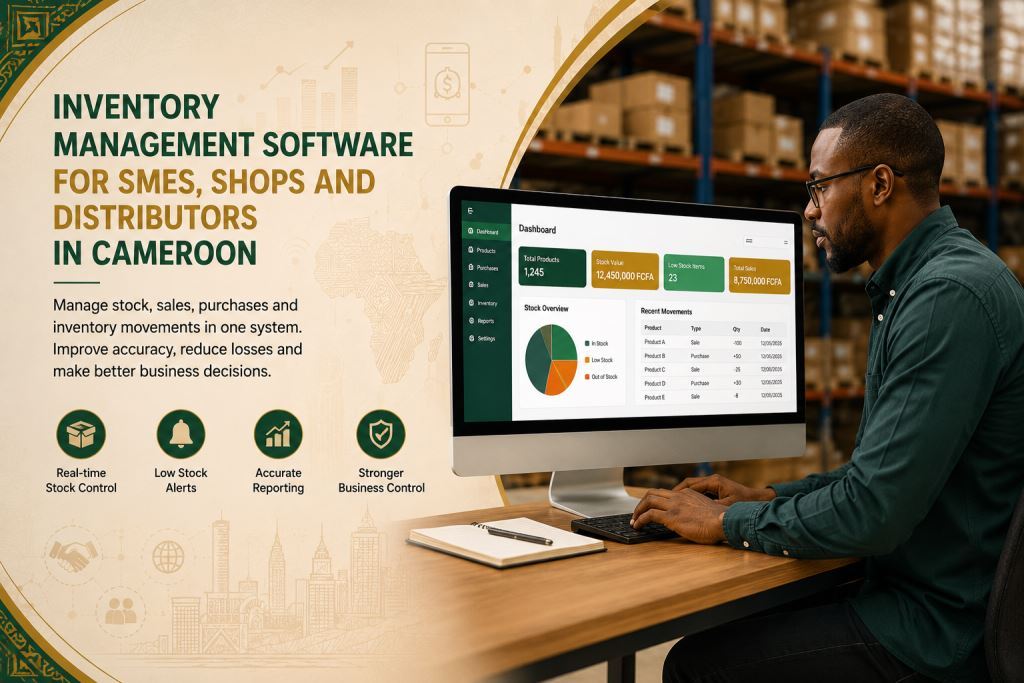
Inventory Management Software for SMEs, Shops and Distributors in Cameroon
Inventory management software Cameroon SMEs is becoming essential for SMEs, retail shops, wholesalers, distributors, service businesses and growing companies that want to organize daily operations more efficiently. Many businesses still rely on paper records, WhatsApp messages or scattered spreadsheets. Although these methods may work at first, they become difficult to manage as the business grows.
Prosoft Africa helps business owners, managers, accountants, sales teams, inventory staff, purchasing teams and branch supervisors use digital tools to improve record management, reporting and accountability across Cameroon and Africa.
Inventory control also helps businesses reduce unnecessary losses. It allows managers to see what is available in stock, what has been sold and which products require replenishment. As a result, daily operations become more organized and decision-making becomes easier.
This article explains how inventory management software Cameroon SMEs fits into a complete business management strategy. It also presents the main features, practical benefits, implementation process, staff training and ongoing support. Consequently, business owners can choose a solution that matches their operational needs.
Why inventory management software Cameroon SMEs matters
Many SMEs still manage stock, sales, invoices, quotations, customers, suppliers, expenses, user access, branches and management reports using different notebooks, spreadsheets or verbal instructions. While this approach may keep the business running, it often creates confusion and slows daily operations.
Managers may struggle to identify the latest record, determine who entered specific information or confirm whether reports are accurate. Consequently, decision-making becomes slower and less reliable.
Several warning signs usually appear first. Stock records may no longer match the products available on the shelves. Manual invoices become more frequent. Customer follow-up may become inconsistent, while expense control becomes more difficult.
At first, these challenges may seem manageable. However, they become more expensive as the business grows, employees change responsibilities or managers need reliable information quickly.
A digital solution should simplify daily work without replacing employees’ experience. Instead, it provides a structured workflow that helps every user follow the same procedures. In addition, managers obtain accurate information that supports better operational decisions.
Across Cameroon and Africa, many organizations employ staff with different levels of computer experience. Therefore, an effective inventory management software Cameroon SMEs solution should provide an intuitive interface, clear workflows, user permissions, practical training and responsive technical support.
Discover our Business Management Software and learn how Inventory Management Software Cameroon SMEs helps businesses improve inventory control, reporting and daily operations across Cameroon and Africa.
Key features to look for in inventory management software Cameroon SMEs
1. Product stock cards
Product stock cards help businesses maintain accurate inventory records in one centralized system. Authorized users enter product information once and retrieve it whenever necessary. This process reduces duplicate records and improves data accuracy.
Managers can also review stock levels quickly without searching through notebooks or multiple spreadsheets. As a result, inventory control becomes faster and more reliable.
For SMEs, retail shops, wholesalers, distributors, service businesses and growing companies across Cameroon and Africa, product stock cards simplify stock management and improve daily operations. When this feature is properly configured in inventory management software Cameroon SMEs, teams spend less time searching for information and more time serving customers.
2. Purchase and sale movements
Purchase and sale movements allow businesses to monitor inventory transactions from one location. Every purchase and every sale is recorded clearly, making it easier to follow product movements throughout the day.
This functionality also improves stock accuracy and supports better financial reporting. In addition, managers can identify unusual inventory movements more quickly and respond before small issues become significant problems.
When purchase and sale movements are integrated into inventory management software Cameroon SMEs, businesses strengthen inventory control, improve reporting and make better purchasing decisions.
3. Low stock alerts
Low stock alerts help businesses identify products that need replenishment before they run out. Instead of waiting until shelves are empty, managers receive timely information that supports better purchasing decisions.
This feature also reduces unexpected stock shortages and helps maintain product availability. As a result, sales continue without unnecessary interruptions, and customer satisfaction improves.
For SMEs, retail shops, wholesalers, distributors, service businesses and growing companies across Cameroon and Africa, low stock alerts simplify inventory monitoring. When they are integrated into inventory management software Cameroon SMEs, managers respond more quickly to inventory needs and improve daily stock control.
4. Stock adjustment approvals
Stock adjustment approvals help businesses control inventory changes before they are finalized. Every adjustment follows an approval process, reducing the risk of unauthorized modifications and improving data accuracy.
Managers can review adjustment requests, verify supporting information and approve only the necessary changes. Consequently, inventory records remain more reliable and easier to audit.
When stock adjustment approvals are included in inventory management software Cameroon SMEs, businesses strengthen inventory control, improve accountability and reduce costly stock discrepancies.
5. Inventory counts
Inventory counts help businesses compare physical stock with system records on a regular basis. This process allows managers to detect differences quickly and correct them before they affect daily operations.
Regular inventory counts also improve stock accuracy and support better purchasing decisions. Furthermore, they reduce losses caused by missing products, recording errors or outdated inventory information.
For SMEs, retail shops, wholesalers, distributors, service businesses and growing companies, inventory counts become much easier when they are managed through inventory management software Cameroon SMEs. Teams complete stock verification more efficiently while maintaining reliable inventory records.
6. Branch stock reports
Branch stock reports provide a clear overview of inventory levels across different business locations. Managers can compare stock availability, monitor product movements and identify branches that require additional inventory.
This functionality also improves reporting by presenting accurate information from every branch in one place. In addition, decision-makers gain better visibility into overall business performance and inventory distribution.
When branch stock reports are integrated into inventory management software Cameroon SMEs, businesses improve stock planning, strengthen operational control and support more informed management decisions.
Businesses using Inventory Management Software Cameroon SMEs across multiple locations should also explore our Branch Transfer & Inter-Store Stock Movement Management Software to discover how stock can be transferred accurately between branches while maintaining real-time inventory visibility, stock accuracy and operational control.
Benefits of inventory management software Cameroon SMEs
One of the greatest advantages is improved visibility. Business owners and managers no longer depend only on verbal updates or handwritten records. Instead, they access structured reports that provide accurate information about daily operations. Consequently, they can identify completed activities, pending tasks and areas that require immediate attention.
Another important benefit is stronger accountability. Every user works with an individual account, making it easier to identify who created, updated or approved each record. This level of transparency protects the business while recognizing employees who follow established procedures.
The software also saves valuable time. Managers and employees can locate inventory records, invoices, customer information and stock reports within seconds by using search tools, filters, dashboards and record histories. As a result, they spend less time searching for information and more time serving customers.
Finally, inventory management software Cameroon SMEs supports better business planning. Accurate inventory records reveal stock trends, purchasing patterns, sales performance and operational challenges. These insights help managers make informed decisions about purchasing, inventory control, staffing and future business growth.

To get the most from Inventory Management Software Cameroon SMEs, businesses should also explore our Sales Tracking and Customer Management Software Africa for SMEs to discover how inventory management, sales tracking, customer management and invoicing work together within one integrated business management solution.
How to implement inventory management software Cameroon SMEs without disrupting daily operations
Implementing inventory management software Cameroon SMEs should begin with a clear review of the company’s daily workflow. Before configuring the system, managers should identify the records they want to manage, the reports they need, the employees who require access and the challenges that slow daily operations. This assessment allows Prosoft Africa to configure the software according to the company’s actual requirements.
Review your current processes
The first step is to examine how inventory is currently managed. Business owners should identify the procedures that work well and those that create delays or errors. They should also determine which users need access to different parts of the system and what information should appear in management reports.
This preparation makes the implementation process more efficient and reduces configuration errors.
Prepare your data
The next step is to organize existing records before moving them into the new system. Old data does not have to be perfect. However, the team should decide which records to import, which ones to archive and which information should be entered again.
During this stage, many SMEs discover duplicate products, incorrect stock balances, outdated supplier information or incomplete product records. Correcting these issues early helps businesses implement inventory management software Cameroon SMEs more successfully.
Train every user
Staff training should focus on each employee’s responsibilities. Cashiers learn sales procedures, while inventory staff manage stock transactions and product movements. Administrators work with reports and user permissions. Managers, on the other hand, learn how to use dashboards and business reports for decision-making.
This practical approach prevents information overload and helps employees become confident more quickly. As a result, they adapt to the new system without disrupting daily operations.
Provide support after implementation
Support should continue after the software goes live. During the first few weeks, managers should verify that employees enter information correctly, follow the recommended workflows and use reports effectively.
In addition, regular follow-up sessions help answer questions, adjust software settings and prevent users from returning to old manual procedures. Continuous support from Prosoft Africa makes the transition smoother and encourages successful adoption of inventory management software Cameroon SMEs.
Available across Cameroon and Africa
Prosoft Africa provides software installation, staff training and technical support for SMEs, retail shops, wholesalers, distributors, service businesses and growing companies throughout Cameroon. The company serves businesses in Douala, Yaoundé, Buea, Bamenda, Limbe, Bafoussam, Garoua, Maroua, Ngaoundéré and Bertoua.
Organizations outside Cameroon can also request online demonstrations, remote implementation assistance, staff training and continuous technical support. This flexible approach helps businesses adopt inventory management software Cameroon SMEs while addressing practical challenges such as varying internet connectivity, different levels of computer experience and multi-branch operations.
Decision checklist before requesting a demo
Before requesting a demonstration, prepare the following information.
- List the inventory records your business wants to manage and identify who should create, edit, approve or view each record.
- Prepare examples of the reports you expect, including stock summaries, inventory movements, sales reports, branch comparisons and management dashboards.
- Select a small implementation team that can test the workflows, ask questions and support other employees after training.
- Finally, confirm how technical support will be provided after installation, especially when new employees join the company, additional branches open or new software modules are introduced.
Frequently Asked Questions
Who should use inventory management software Cameroon SMEs?
Inventory management software Cameroon SMEs is suitable for SME owners, managers, accountants, sales teams, inventory staff, purchasing teams and branch supervisors. It also benefits retail shops, wholesalers, distributors and growing companies that want better inventory control, cleaner records and more reliable reporting.
Can the software support users with limited computer experience?
Yes. The implementation process should include practical, role-based training for every user. Employees learn the tasks they perform every day instead of every feature in the system. In addition, continuous support helps them gain confidence and improve productivity over time.
Should every feature be activated on the first day?
No. Most businesses achieve better results by starting with the most important workflows first. They can then introduce additional modules as employees become familiar with the system. This gradual approach simplifies adoption and minimizes disruption to daily operations.
Conclusion
Choosing inventory management software Cameroon SMEs is a business decision rather than simply a software purchase. The right solution helps companies organize stock, sales, invoices, quotations, customers, suppliers, expenses, user access, branch management and reporting within one centralized platform.
As a result, business owners and managers gain more accurate information, faster reports and stronger operational control. Employees also benefit from standardized workflows that simplify daily tasks, improve collaboration and reduce manual errors.
Prosoft Africa supports SMEs, retail shops, wholesalers, distributors, service businesses and growing companies across Cameroon and Africa with software implementation, staff training and continuous technical assistance. By combining practical support with reliable technology, businesses can improve inventory control, strengthen reporting and increase operational efficiency.
To get started, request a demonstration and identify the inventory management challenges you want to solve first.
Explore our blog for expert articles on Business Management Software, Inventory Management Software Cameroon SMEs, inventory control and practical business solutions for SMEs across Cameroon and Africa.
Follow Prosoft Africa on Facebook, Instagram, LinkedIn, X (Twitter), and TikTok for product updates, demonstrations, customer success stories and business management tips.
