

How to Implement Electronic Medical Records Without Disrupting Clinic Work
Electronic medical records implementation Africa is a serious management topic for clinics, medical centers, hospitals and healthcare groups that want cleaner records, faster decisions and better accountability. The goal of this article is to help clinic owners, hospital administrators, reception teams, cashiers, nurses, doctors, laboratory staff and pharmacy managers understand what the software should organize, which mistakes to avoid and how to prepare a practical deployment.
For many organizations, the challenge is not only the absence of software. The deeper challenge is that important information is scattered across notebooks, spreadsheets, phones, receipt books and verbal updates. When teams depend on separate records, managers spend too much time asking for explanations and too little time improving service quality. A good system turns daily work into structured records that can be searched, checked and reported.
In this context, EMR implementation should protect daily service continuity while moving patient records into a cleaner digital structure. The best approach is to connect the topic to a complete hospital management software strategy that includes patient registration, appointments, billing, payments, pharmacy stock, laboratory requests, staff activity and management reports. That way, the organization does not buy a single isolated tool. Instead, it builds a management foundation that can support growth, new users, additional branches and stronger reporting over time.
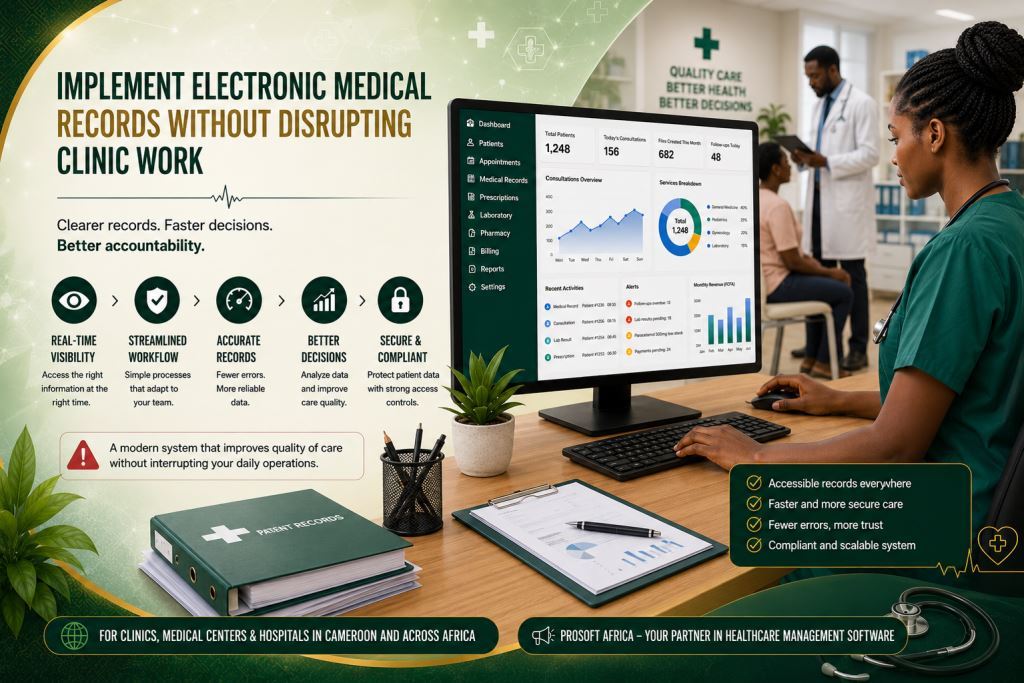
Why This Topic Matters For Daily Operations
Daily operations create small decisions every hour. Staff members enter records, accept payments, move stock items, schedule follow-ups, review reports and request approvals. When these decisions are not captured in one system, the organization becomes dependent on memory. Memory may work when the team is small, but it quickly becomes unreliable as activity increases.
A strong digital workflow helps staff follow the same steps even when the clinic is busy. As a result, confusion is reduced because every role knows what to enter, what to approve and what to review. It also helps owners and administrators distinguish between a normal delay and a genuine operational risk. For this reason, software should be viewed as a management improvement rather than simply a computer purchase.
In Cameroon and other African markets, organizations also need practical deployment. Internet availability, staff computer experience, language requirements, hardware budgets and branch locations can vary significantly. Therefore, a useful system should be easy to understand, simple to learn and flexible enough to adapt to different working environments. At the same time, it should improve discipline and record quality without disrupting daily operations.
The strongest sign of a successful implementation is not a long list of features. Instead, it is the moment when users stop asking where information is stored because the workflow naturally guides them to the correct record. That is the level of organization clinic owners, hospital administrators, reception teams, cashiers, nurses, doctors, laboratory staff and pharmacy managers should expect when evaluating software for this purpose.
Common Problems This Software Should Solve
One common problem is that staff fear digital records will slow consultations. At first, this concern may seem minor, especially when experienced employees already know the workflow. However, when the same concern continues week after week, it becomes a management weakness. The software should make every record easy to locate, connect it to the correct patient or activity and preserve enough history for the team to understand what happened.
Another common problem is that paper files are incomplete. Initially, missing information may appear harmless. Nevertheless, repeated gaps reduce the quality of patient records and make future follow-up more difficult. A reliable system should centralize information, improve completeness and keep an accurate history for every patient.
A further challenge is that departments use different record styles. At first, these differences may not seem important. Over time, however, inconsistent documentation creates confusion and reduces reporting accuracy. The software should standardize records while still allowing each department to complete its daily responsibilities efficiently.
Improve Implementation Success
Another common problem is that implementation begins without a pilot phase. At first, launching the system across the entire organization may appear faster. However, when unexpected issues arise, daily operations can be disrupted. A pilot department allows the team to identify weaknesses, improve workflows and build user confidence before expanding the implementation.
Another issue is that post-launch support is often overlooked. During the first few days, everything may appear to work correctly. Yet, users frequently encounter new questions once they begin using the system in real situations. Continuous support helps solve problems quickly, reinforces good practices and encourages consistent use of the software.
Another problem is that managers often receive summaries without supporting details. A report may appear correct while the source of the information remains unclear. Therefore, reliable software should allow administrators to move from a summary directly to the supporting records, including receipts, attendance, invoices, balances, stock movements and service notes, depending on the organization’s workflow.
Finally, informal corrections create another management risk. Every healthcare organization must be able to correct mistakes. However, those corrections should always remain controlled. The system should record who made the change, why it was necessary and whether it was approved by a supervisor. As a result, both the organization and honest staff members are protected.
Key Features To Look For
Workflow mapping
This feature should remain simple for daily users while providing enough control for managers. In practice, it connects patient registration, appointments, billing, payments, pharmacy stock, laboratory requests, staff activity and management reports. As a result, the organization avoids creating another isolated system. When configured correctly, it allows information to be entered once, verified quickly and reused in reports, dashboards, receipts and follow-up activities.
Patient record templates
Standardized templates help staff record information consistently across departments. They also improve reporting accuracy and reduce incomplete documentation. When properly configured, templates simplify daily work while supporting better long-term record quality.
Standardized electronic records become even more valuable when they are integrated with appointment scheduling and patient file management. Read our article Patient Records And Appointment Management Software For African Clinics to discover how centralized patient records and appointment workflows improve continuity of care, reduce administrative errors and support more efficient clinic operations.
Pilot department
A pilot implementation allows one department to test workflows before organization-wide deployment. This approach helps identify operational issues early, reduces implementation risks and builds staff confidence before expanding to other departments.
Data Entry Rules
This feature should be simple enough for daily users while remaining effective for managers. Clear data entry rules help ensure that patient information is recorded consistently across every department. As a result, reports become more reliable, duplicate records are reduced and users spend less time correcting mistakes.
Staff Training
Training should focus on the real tasks performed by each user rather than on software features alone. Reception teams, nurses, doctors, laboratory staff, pharmacists and administrators should learn the workflows that match their daily responsibilities. Practical training increases user confidence and encourages faster adoption.
Post-Launch Review
A post-launch review helps managers evaluate how well the implementation is working after the system goes live. It allows the organization to identify workflow issues, improve data quality and provide additional guidance where necessary. Regular reviews also help ensure that the software continues to support daily operations effectively.
These features should not be activated blindly. The right configuration depends on the size of the organization, the number of users, the reports required by management and the level of control needed. Prosoft Africa can help map the workflow first so that each feature supports a real operational task instead of becoming an unused feature.
Benefits For Owners, Managers, Staff And Users
The first benefit is better visibility. Owners and managers no longer have to depend on scattered verbal updates. Instead, they can review structured information and identify operational issues earlier. Better visibility also supports faster and more informed decision-making.
The second benefit is greater accountability. Every important action is linked to a user account and every user has clearly defined responsibilities. Consequently, honest staff members are protected, while managers can distinguish between isolated mistakes and recurring process problems.
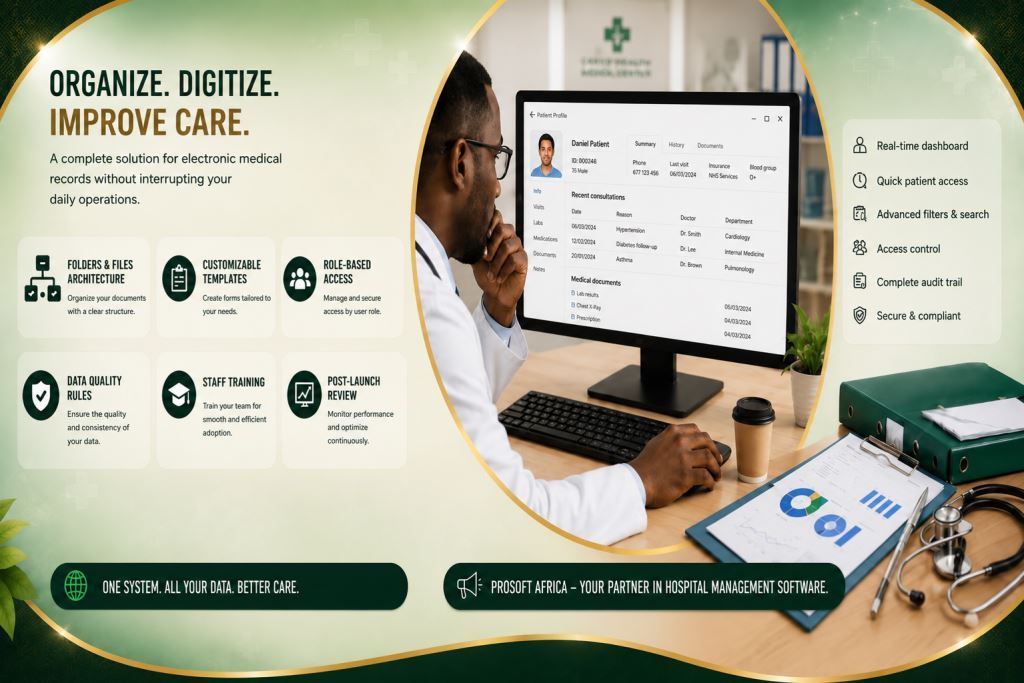
The third benefit is improved efficiency. Staff members no longer need to search through paper files to find patient information. Search tools, dashboards, filters and record histories make information easier to locate. This saves valuable time when patients are waiting or management requires immediate reports.
The fourth benefit is stronger planning. Reliable data helps managers identify busy periods, staff workloads, recurring balances, stock movements, branch performance and revenue trends. Consequently, organizations can prepare for future needs before small problems become major operational challenges.
How To Implement It Without Confusing The Team
Start with a workflow audit. Identify the tasks staff perform every day, the records they create, the reports management requires and the areas where errors occur most frequently.
Next, prepare the most important data before launch. The organization does not need every historical file immediately. However, active patient records, user accounts, opening balances and essential categories should be prepared carefully.
Then define user roles clearly. Receptionists, cashiers, nurses, pharmacists, managers and supervisors should each receive appropriate access permissions. Proper access control keeps the system both secure and easy to use.
Clearly defined user permissions should always be supported by strong patient data protection policies. Explore our article Hospital Data Security Cameroon | Patient Confidentiality Guide to learn how healthcare organizations can secure electronic medical records, protect confidential patient information and strengthen compliance through effective access control and security practices.
Provide practical training using real examples from daily work. Staff members learn more quickly when they practice with realistic patient visits, invoices, stock movements and laboratory requests.
After deployment, review the first weeks carefully. Check whether reports are accurate, confirm that staff are entering information correctly and identify any remaining manual processes that still create duplicate work.
Finally, implement the system gradually. It is far better to launch the essential workflow successfully than to activate every module at the same time. Once users become comfortable with the system, additional reports, dashboards, branch management tools, inventory analytics and communication features can be introduced progressively.
Available Across Cameroon And Africa
Prosoft Africa provides implementation, training and technical support for clinics, medical centers, hospitals and healthcare groups throughout Cameroon, including Douala, Yaounde, Buea, Bamenda, Limbe, Bafoussam, Garoua, Maroua, Ngaoundere, Bertoua and many other communities. The wording remains natural because the objective is to demonstrate service coverage rather than repeat city names unnecessarily.
Healthcare organizations outside Cameroon can also request online demonstrations, remote implementation assistance, staff training and continuous technical support. This enables healthcare providers across Africa to deploy structured hospital management software with confidence and receive ongoing guidance throughout implementation and adoption.
Our hospital management software helps hospitals transition from paper-based systems to fully digital electronic medical records.
Frequently Asked Questions
Who should use electronic medical records implementation Africa?
It is suitable for clinic owners, hospital administrators, reception teams, cashiers, nurses, doctors, laboratory staff and pharmacy managers who want better organization, clearer reporting and reduced dependence on paper records.
Should every feature be used on the first day?
No. Most healthcare organizations achieve better results by implementing the essential workflow first and introducing additional modules gradually as users gain confidence.
Can Prosoft Africa support teams with limited computer experience?
Yes. Training is practical, role-based and supported with ongoing follow-up so that users learn the tasks they perform every day.
Conclusion
Choosing electronic medical records implementation Africa should be considered a management decision rather than simply a technology purchase. The right solution helps healthcare organizations organize daily work, protect patient records, improve reporting and support staff without disrupting clinical services. The best results come when software, staff training and good management practices work together.
Prosoft Africa helps clinics, medical centers, hospitals and healthcare groups across Cameroon and Africa evaluate their needs, configure the right modules, train users and support successful implementation. To get started, request a demonstration, prepare your current workflow questions and discover how the system can be adapted to your daily operations.
Discover how Prosoft Africa’s hospital management software simplifies patient management, billing, laboratory operations, pharmacy management, and electronic medical records. Explore our other healthcare solutions and find the one that best meets the needs of your hospital, clinic, or medical center.
Follow Prosoft Africa on Facebook, Instagram, LinkedIn, X (Twitter) and TikTok for live demos, customer success stories, expert insights, and the latest innovations transforming hospitals, clinics, and healthcare facilities across Africa.
