
Clinic Reception Workflow Software for Registration, Queues and First Contact
Clinic reception workflow software Cameroon is a serious management topic for clinics, medical centers, hospitals and healthcare groups that want cleaner records, faster decisions and better accountability.The goal of this article is to help clinic owners, hospital administrators, reception teams, cashiers, nurses, doctors, laboratory staff and pharmacy managers understand what the software should organize, which mistakes to avoid and how to prepare a practical deployment.
For many organizations, the challenge is not only the absence of software. The deeper challenge is that important information is scattered across notebooks, spreadsheets, phones, receipt books and verbal updates. When teams depend on separate records, managers spend too much time asking for explanations and too little time improving service quality. A good system turns daily work into structured records that can be searched, checked and reported.
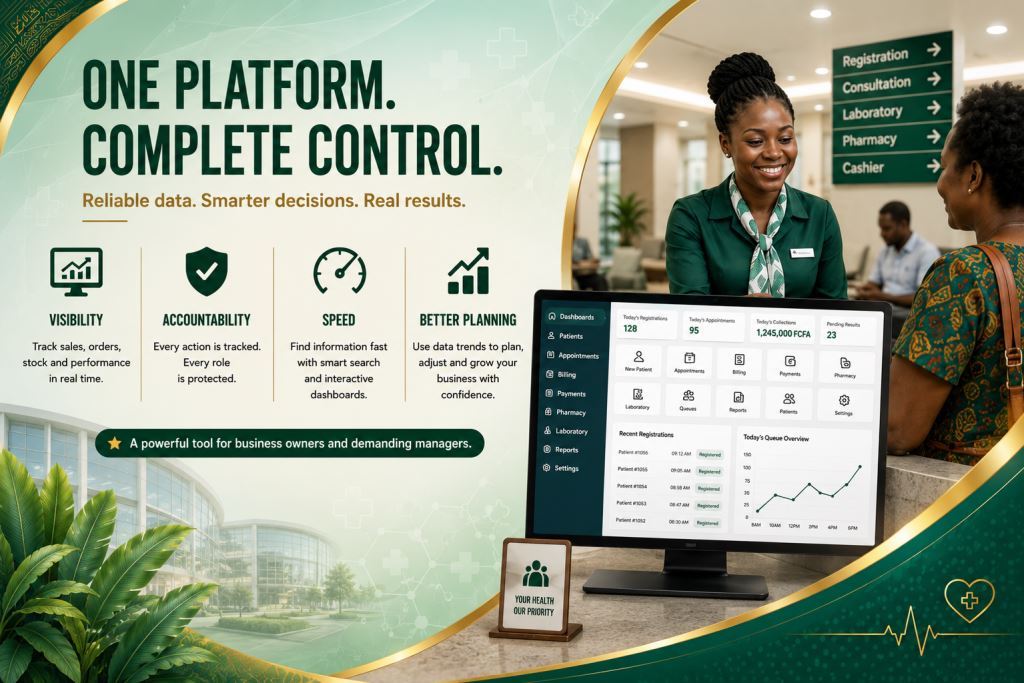
In this context, a strong reception workflow helps clinics register patients, organize queues and guide each person to the right department without confusion. The best approach is to connect the topic to a complete hospital management software strategy that includes patient registration, appointments, billing, payments, pharmacy stock, laboratory requests, staff activity and management reports. That way, the organization does not buy a single isolated tool; it builds a management foundation that can support growth, new users, additional branches and stronger reporting over time.
Why this topic matters for daily operations
Daily operations create small decisions every hour. For example, staff must know who entered a record, which payment was accepted, which item moved from stock, which person needs follow-up, which report should be reviewed and which manager must approve a correction. When those decisions are not captured in one system, the organization becomes dependent on memory. Memory may work when the team is small. However, it breaks down when activity increases.
A strong digital workflow helps staff follow the same steps even when the office is busy. As a result, it reduces confusion because each role knows what to enter, what to approve and what to review. In addition, it helps owners and administrators see the difference between a normal delay and a real operational risk. Therefore, software must be planned as an administrative improvement, not just as a computer purchase.
Common problems this software should solve
One common problem is that patients repeat information at several desks. At first, the issue may look small, especially if a trusted staff member knows the details. However, when the same issue appears every week, it becomes a management weakness. Software should make the record visible. It should also connect it to the right person or transaction and keep enough history for the team to understand what happened.
Another common problem is that queues are managed verbally. At first, the issue may look small, especially if a trusted staff member knows the details. Nevertheless, when the same issue appears every week, it becomes a management weakness. Software should make the record visible. In addition, it should connect it to the right person or transaction and keep enough history for the team to understand what happened.
Another challenge is that files move without clear priority. At first, the issue may look small, especially if a trusted staff member knows the details. In reality, when the same issue appears every week, it becomes a management weakness. Software should make the record visible. Furthermore, it should connect it to the right person or transaction and keep enough history for the team to understand what happened.
Another issue is that cashiers and nurses do not see the same visit information. At first, the issue may look small, especially if a trusted staff member knows the details. Even so, when the same issue appears every week, it becomes a management weakness. Software should make the record visible. After that, it should connect it to the right person or transaction and keep enough history for the team to understand what happened.
Finally, administrators may not be able to measure reception pressure. At first, the issue may look small, especially if a trusted staff member knows the details. Yet, when the same issue appears every week, it becomes a management weakness. Software should make the record visible. Finally, it should connect it to the right person or transaction and keep enough history for the team to understand what happened.
Key features to look for
Patient registration
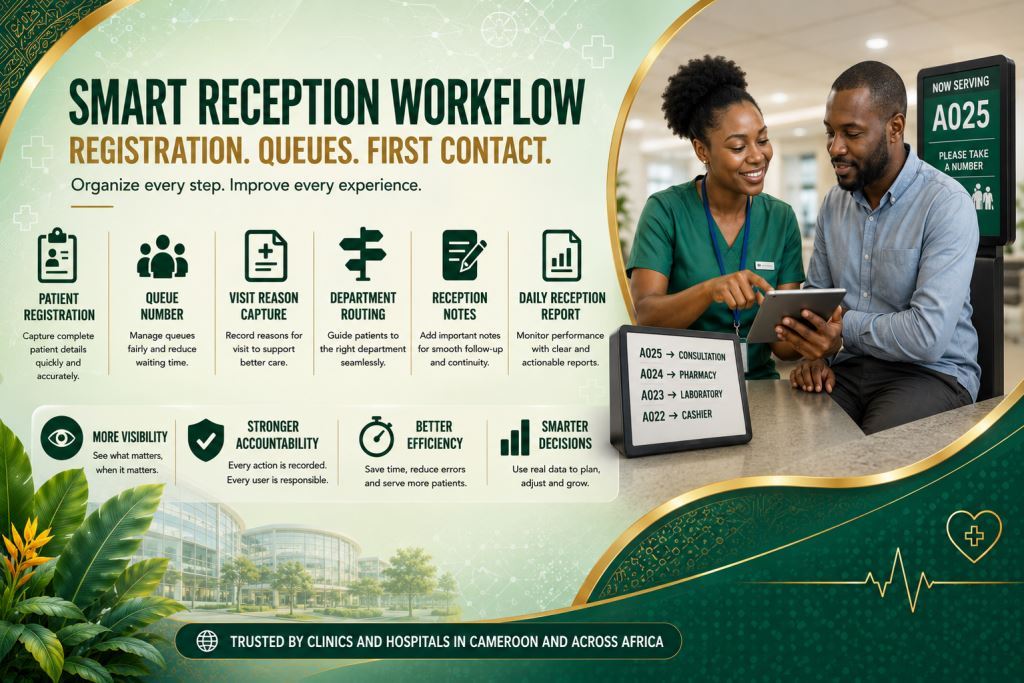
Patient registration: this feature should be simple enough for daily users and strong enough for managers. In practical use, it connects the topic to patient registration, appointments, billing, payments, pharmacy stock, laboratory requests, staff activity and management reports. As a result, the organization does not create another isolated record. When configured well, it helps staff enter information once, verify it quickly and reuse it in reports, receipts, dashboards or follow-up actions.
An efficient reception workflow starts even before the patient arrives at the clinic. Read our article Online Appointment Request Management For Clinics And Hospitals to discover how online appointment requests help reception teams prepare patient records in advance, reduce waiting times and improve the overall patient experience from the very first contact.
Queue number: this feature should be simple enough for daily users and strong enough for managers. In practical use, it connects the topic to patient registration, appointments, billing, payments, pharmacy stock, laboratory requests, staff activity and management reports. Therefore, the organization does not create another isolated record. In addition, when configured well, it helps staff enter information once, verify it quickly and reuse it in reports, receipts, dashboards or follow-up actions.
Visit reason capture: this feature should be simple enough for daily users and strong enough for managers. In practical use, it connects the topic to patient registration, appointments, billing, payments, pharmacy stock, laboratory requests, staff activity and management reports. Likewise, the organization does not create another isolated record. Furthermore, when configured well, it helps staff enter information once, verify it quickly and reuse it in reports, receipts, dashboards or follow-up actions.
Patient routing
Department routing: this feature should be simple enough for daily users and strong enough for managers. In practical use, it connects the topic to patient registration, appointments, billing, payments, pharmacy stock, laboratory requests, staff activity and management reports. Consequently, the organization does not create another isolated record. Moreover, when configured well, it helps staff enter information once, verify it quickly and reuse it in reports, receipts, dashboards or follow-up actions.
Reception is only the beginning of the patient journey. Explore our article Hospital Department Coordination Software For Clinics And Medical Centers to learn how seamless communication between reception, consultation, laboratory, pharmacy, billing and administration helps eliminate delays, improve patient flow and strengthen coordination across every department.
Reception notes: this feature should be simple enough for daily users and strong enough for managers. In practical use, it connects the topic to patient registration, appointments, billing, payments, pharmacy stock, laboratory requests, staff activity and management reports. Similarly, the organization does not create another isolated record. Afterwards, when configured well, it helps staff enter information once, verify it quickly and reuse it in reports, receipts, dashboards or follow-up actions.
Daily reception report: this feature should be simple enough for daily users and strong enough for managers. In practical use, it connects the topic to patient registration, appointments, billing, payments, pharmacy stock, laboratory requests, staff activity and management reports. Finally, the organization does not create another isolated record. As a result, when configured well, it helps staff enter information once, verify it quickly and reuse it in reports, receipts, dashboards or follow-up actions.
These features should not be activated blindly. The right configuration depends on the size of the organization, the number of users, the reports required by management and the level of control needed. In addition, Prosoft Africa can help map the workflow first so that each feature supports a real task instead of becoming unused decoration.