

Beverage and Snack Inventory Software for Restaurants and Cafeterias
Restaurant beverage inventory software Cameroon is a serious management topic for restaurants, cafeterias, bakeries, fast-food businesses, catering teams and food-service groups that want cleaner records, faster decisions and better accountability. Prosoft Africa creates content based on real business operations in Cameroon and across Africa . This article helps restaurant owners, managers, cashiers, waiters, kitchen teams, caterers and food-service operators understand what the software should organize, which mistakes to avoid and how to prepare a successful deployment.
Many organizations struggle because information is scattered across notebooks, spreadsheets, phones, receipt books and verbal updates. As a result, managers spend too much time searching for answers instead of improving service. A reliable restaurant management system transforms everyday work into structured records that are easy to search, verify and report.
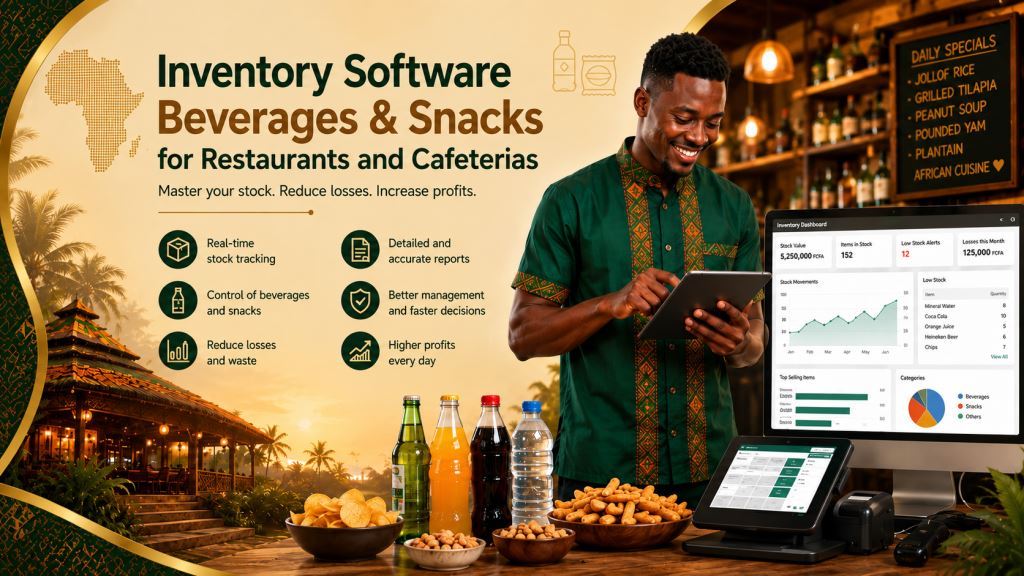
In addition, beverage and snack inventory requires close monitoring because small items move quickly, disappear easily and directly affect daily profit. The best approach is to connect inventory management with a complete restaurant management solution that includes POS sales, orders, tables, menus, recipes, stock control, expenses, staff shifts, customer records and daily profit reports. Consequently, the organization builds a complete management platform instead of relying on isolated tools. This approach also supports business growth, additional branches and more reliable reporting.
Why This Topic Matters for Daily Operations
Every working day creates dozens of important decisions. Staff record transactions, accept payments, issue stock, follow customer requests, review reports and approve corrections. However, when those activities are managed in different places, the organization begins to rely on memory instead of accurate records. Although memory may work in a small team, it quickly becomes unreliable as the business grows.
Furthermore, a structured digital workflow guides employees through the same process even during busy periods. Each person knows what information to enter, what actions require approval and which reports need review. As a result, owners and managers identify operational risks earlier and make better decisions based on accurate information instead of assumptions.
Organizations throughout Cameroon and other African countries also require practical deployment. Internet availability, staff computer skills, language preferences, hardware budgets and branch locations often differ from one business to another. Therefore, the software should remain simple to learn, flexible to configure and practical for everyday use. At the same time, it should gradually improve record quality, operational discipline and reporting standards.
Ultimately, the best implementation is not measured by the number of features available. Instead, success appears when employees no longer ask where information is stored because the workflow naturally directs them to the correct record. That is the level of organization restaurant owners, managers, cashiers, waiters, kitchen teams, caterers and food-service operators should expect from modern restaurant inventory software.
Common Problems This Software Should Solve
Inventory Accuracy Challenges
One common problem is that staff count fast-moving items from memory instead of maintaining accurate stock records. At first, this may seem like a minor issue, especially when experienced employees know the products well. However, when the same situation happens repeatedly, it becomes a serious management weakness. The software should display every stock movement, connect each transaction to the responsible user and maintain a complete history for future review.
Another common problem is that sales are not compared with stock deductions. Initially, the difference may appear insignificant. Nevertheless, repeated mismatches reduce inventory accuracy and affect profit. A reliable system automatically links every sale to the corresponding stock movement, making discrepancies easier to identify and correct.
Inventory accuracy also depends on controlling who can process sales, corrections and stock-related transactions. Read our article Restaurant Staff Cash Permissions And Sales Control Software to learn how user permissions strengthen sales control, reduce errors and improve operational accountability.
Loss Prevention and Stock Control
A further challenge is that damaged, expired or missing products are not recorded properly. As a result, managers cannot determine why inventory levels change unexpectedly. The software should record every loss, identify the responsible user when necessary and preserve supporting information for future audits.
Another frequent issue occurs when branches transfer products without proper documentation. Although staff may trust each other, undocumented transfers create confusion and unreliable inventory reports. Therefore, every stock transfer should be recorded, approved where necessary and linked to the appropriate branch.
Daily profit can also decrease because of unnoticed stock shrinkage. Small inventory losses may appear harmless individually, but together they reduce business performance over time. Consequently, the software should monitor stock movements continuously and provide managers with accurate reports that reveal unusual patterns before they become costly problems.
Another challenge is that managers often receive summary reports without supporting details. A total may appear correct while the source remains unclear. For this reason, reliable software should allow managers to move directly from summary reports to supporting records such as receipts, sales transactions, invoices, stock movements and inventory adjustments.
Finally, many organizations make corrections informally. Although mistakes must be corrected, every modification should remain traceable. The system should record who made the change, explain why the correction was necessary and indicate whether a supervisor approved it. This approach protects both the business and honest employees while improving accountability.
Key Features to Look For
Inventory Record Management
Item stock cards: This feature should remain simple for daily users while providing the level of control managers require. In practice, it connects POS sales, orders, tables, menus, recipes, inventory, expenses, staff shifts, customer records and daily profit reports. As a result, the organization avoids creating isolated records. When configured correctly, it allows staff to enter information once, verify it quickly and reuse it across reports, receipts, dashboards and follow-up activities.
Opening and closing stock: This feature should make daily inventory control straightforward and reliable. It records opening balances, tracks stock movements throughout the day and confirms closing quantities accurately. Consequently, managers can compare physical inventory with system records and identify discrepancies before they become larger problems.
Stock Movement Control
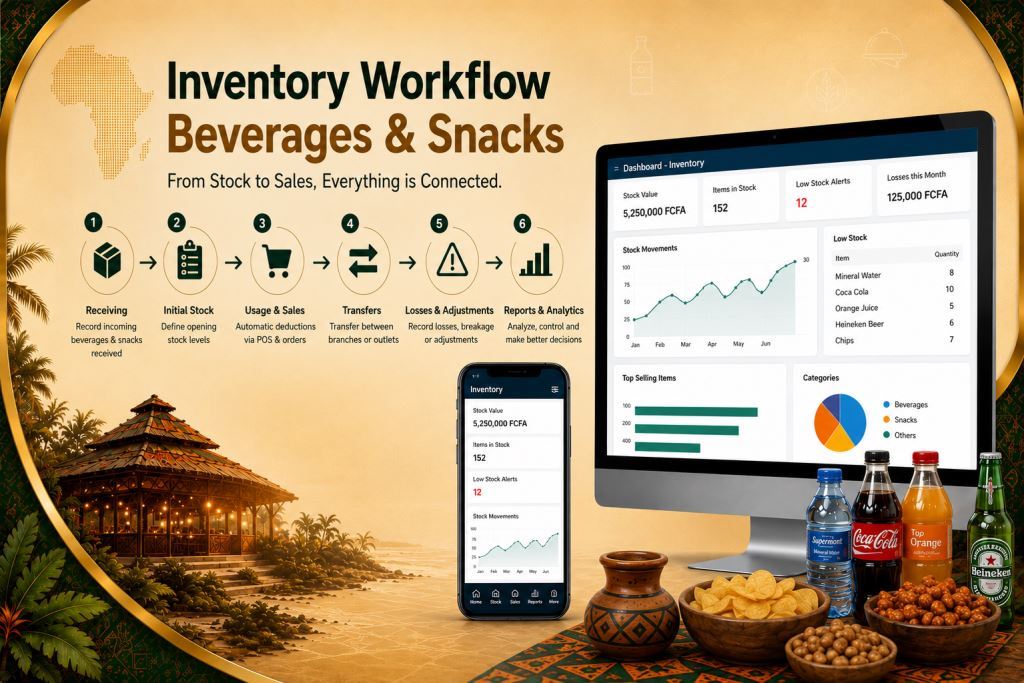
Sales deduction: Every completed sale should automatically reduce inventory quantities. Therefore, employees no longer need to adjust stock manually after each transaction. This automation reduces errors, improves reporting accuracy and helps managers monitor inventory levels in real time.
Stock transfer: Businesses with multiple storage areas or branches need a controlled transfer process. The software should record every movement between locations, identify the responsible employee and maintain a complete transfer history. As a result, inventory remains accurate across every branch.
Inventory Monitoring and Reporting
Loss recording: Restaurants occasionally experience spoilage, breakage, expiration or other inventory losses. The software should record each loss together with its reason and the responsible user when appropriate. Consequently, managers can monitor recurring problems and reduce unnecessary waste.
Manager variance reports: Reliable variance reports compare expected inventory with actual stock levels. They highlight unusual differences, summarize stock movements and support faster investigations. Furthermore, managers can use these reports to improve purchasing decisions, strengthen internal controls and protect daily profits.
Configuration Best Practices
These features should not be activated without proper planning. Instead, managers should configure the system according to the organization’s size, number of users, reporting requirements and control procedures. Prosoft Africa can help map the operational workflow before deployment so that every feature supports a real business process rather than becoming an unused function.
Benefits for Owners, Managers, Staff and Users
Better Visibility and Accountability
The first benefit is better visibility. Owners and managers no longer need to wait for scattered explanations or incomplete reports. Instead, they can review structured information whenever they need it. Moreover, better visibility is not about monitoring employees unfairly. It helps managers identify operational issues quickly, support their teams and make decisions based on reliable business data.
The second benefit is stronger accountability. When every user has a defined role and every important action is linked to a user account, responsibilities become much clearer. Consequently, honest employees are protected from unfair accusations while managers can distinguish isolated mistakes from repeated process weaknesses.
Faster Operations and Better Planning
The third benefit is greater efficiency. Employees no longer waste time searching through paper records or visiting different offices to find information. Instead, search tools, filters, dashboards and activity histories make important records available within seconds. As a result, customer service improves and managers can respond to daily challenges more quickly.
Faster inventory processes also improve customer service by ensuring popular beverages and snacks remain available when customers order. Explore our article Restaurant Customer Management Software Africa | Customer Reservations to discover how inventory management supports better customer experiences, reservations and long-term loyalty.
The fourth benefit is better planning. Accurate business data allows managers to identify busy periods, slow-moving products, recurring expenses, inventory movements, branch performance and revenue trends. Therefore, the organization can plan purchases, staffing and expansion more effectively before small issues become major operational problems.
How to Implement the Software Without Confusing the Team
Prepare Before Deployment
Implementation should begin with a workflow review. Managers should list the tasks employees perform, the records they maintain, the reports leadership requires and the errors that occur most often. This preparation ensures that the software reflects real business operations instead of creating unnecessary complexity.
Next, the organization should prepare its essential data before installation. Active records, user accounts, opening balances and key inventory categories should be cleaned and verified carefully. In addition, managers should define user permissions so that cashiers, supervisors, storekeepers and administrators receive only the access they need. This approach improves both security and operational efficiency.
Train Users and Monitor Progress
Training should focus on real business activities rather than technical theory. Employees should learn how to record transactions, search records, print receipts, manage inventory movements, review reports and request assistance whenever necessary. Consequently, users become confident because the training reflects their daily responsibilities.
After deployment, managers should monitor system usage during the first few weeks. They should confirm that employees enter data correctly, reports remain accurate and old manual habits gradually disappear. Finally, new features such as advanced dashboards, branch reporting, inventory analytics and additional controls can be introduced progressively after staff become comfortable with the core workflow.
Available Across Cameroon and Africa
Prosoft Africa provides software installation, staff training and continuous support for restaurants, cafeterias, bakeries, fast-food businesses, catering companies and food-service groups throughout Cameroon, including Douala, Yaoundé, Buea, Bamenda, Limbe, Bafoussam, Garoua, Maroua, Ngaoundéré, Bertoua and many other communities. Furthermore, the company serves organizations across Africa through online demonstrations, remote deployment, virtual training and continuous technical support.
Discover how our restaurant management software helps restaurants in Cameroon streamline beverage inventory and improve profitability.
Frequently Asked Questions
Who should use restaurant beverage inventory software Cameroon?
Restaurant owners, managers, cashiers, waiters, kitchen teams, caterers and food-service operators can all benefit from this solution. It helps them improve inventory control, produce clearer reports and reduce dependence on manual records.
Should every feature be activated on the first day?
No. Most organizations achieve better results by implementing the essential workflow first. After employees become familiar with the system, managers can gradually introduce additional modules and advanced reporting features.
Can Prosoft Africa support teams with limited computer experience?
Yes. Prosoft Africa provides practical, role-based training supported by continuous follow-up. As a result, employees learn the exact tasks they perform every day instead of studying unnecessary technical concepts.
Conclusion
Choosing restaurant beverage inventory software Cameroon is a management decision rather than simply a technology purchase. The right solution helps organizations organize daily operations, protect inventory records, improve reporting and support employees with reliable business information. Consequently, better results appear when software, staff training and management discipline work together.
Prosoft Africa helps restaurants, cafeterias, bakeries, fast-food businesses, catering companies and food-service groups throughout Cameroon and across Africa analyze their operational workflow, configure suitable modules, train employees and provide continuous support after deployment. To get started, request a demonstration, prepare your workflow questions and discover how the software can be configured to match your day-to-day operations.
Transform the way you manage your restaurant with Prosoft Africa. Explore expert articles on restaurant management software, POS systems, inventory control, order management, billing, and business automation. Visit our blog to discover practical strategies and innovative solutions that help restaurants improve efficiency, increase profitability, and deliver exceptional customer service.
Follow Prosoft Africa on Facebook, Instagram, LinkedIn, X (Twitter), and TikTok for live demos, expert insights, customer success stories, and the latest innovations transforming restaurant management across Africa.
